Google Antigravity · Live Stage Keynote
google-genai
7 Modalities.
One Pipeline.
Video, speech, text, embeddings, image, spatial vision, and music — orchestrated by one coding agent.
 Christopher Brox · Google DeepMind, Antigravity
00 / The Premiseomni_source.mp4 + advertiser_espresso_can.png
One creator clip. One product photo.
Turn a raw creator video and a static product PNG into a context-matched CTV ad pod stream.
Input 1 · Creator Stream (omni_source.mp4)
Input 2 · Static Product Photo & Brief
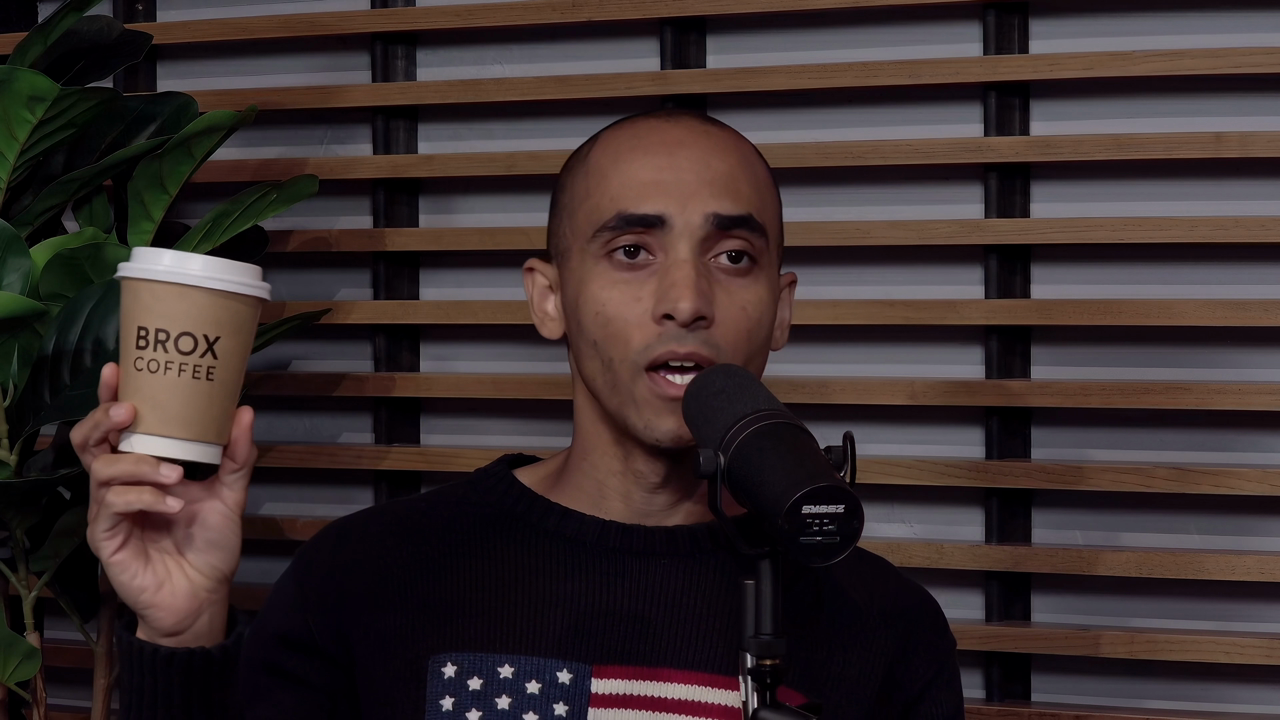
Keyframe @ 00:06Brox Cup
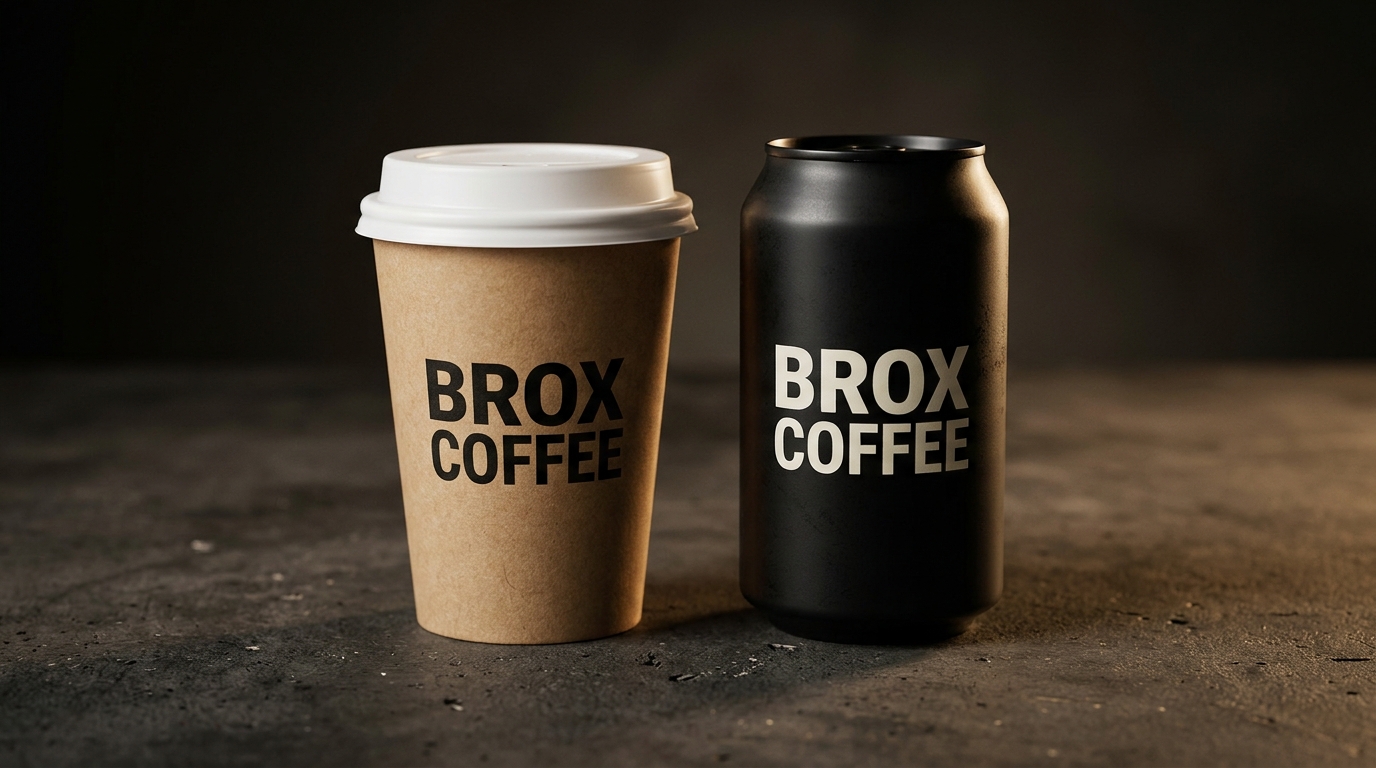
Product PNGCold Brew
01 Video·
02 STT·
03 Embeddings·
04 Image Gen·
05 Spatial Vision·
06 Video Gen·
07 TTS + Music
Words, timestamps, and vocal tone.
Why: Extract verbatim transcripts and SDH captions tagged with vocal delivery and emotion.
Stage Prompt
“Transcribe the audio with speaker tone”
Extracted Dialogue Track · omni_audio.mp3
00:00 · enthus.“I can change logos, I can change text, I can change the object into something else entirely.”
00:09 · excited“I can change people, I can change myself, I can add other people into the scene…”
00:15 · express.“…and I can make it something very peaceful, relaxing,”
00:23 · dramatic“or I can make it something really intense and scary.”
00:26 · enthus.“It’s going to have a huge impact on creativity and Hollywood…”
from pydantic import BaseModel
from google import genai
from google.genai import types

class CaptionSegment(BaseModel):
    speaker: str
    start_time: str  # MM:SS
    end_time: str    # MM:SS
    text: str
    tone: str

client = genai.Client()
audio_bytes = open("demo/assets/00_source/omni_audio.mp3", "rb").read()

verbatim = client.models.generate_content(
    model="gemini-3.5-transcribe",
    contents=[types.Part.from_bytes(data=audio_bytes, mime_type="audio/mp3"), "Transcribe verbatim."],
)

sdh = client.models.generate_content(
    model="gemini-3.8-flash",
    contents=[types.Part.from_bytes(data=audio_bytes, mime_type="audio/mp3"), "Transcribe with MM:SS and tone."],
    config=types.GenerateContentConfig(
        response_mime_type="application/json",
        response_schema=list[CaptionSegment],
    ),
)
01 Video·
02 STT·
03 Embeddings·
04 Image Gen·
05 Spatial Vision·
06 Video Gen·
07 TTS + Music
Match the clip to the advertiser brief.
Why: Score semantic vector similarity and synthesize a schema-locked JSON ad insertion plan.
Stage Prompt
“Match the video to our advertiser brief”
Contextual Vector Match
Scene @ 00:06Brox Coffee Cup
Matched RFPcamp_brox_coffee_2026
CampaignBrox Coffee Roasters (camp_brox_coffee_2026)
Similarity0.7591 · Brand Safety Verified (GARM Low)
SCTE-35 Cut00:26 (post-tornado return to studio)
Video BriefComposite Brox Cold Brew can onto wood-slat studio desk next to Shure SM7B mic
VO Script“<sigh> Late nights pushing the boundaries of AI… Keep the breakthroughs coming with Brox.”
from pydantic import BaseModel
from google import genai
from google.genai import types

class AdDecision(BaseModel):
    matched_campaign_id: str
    brand: str
    scte35_insertion_point_mm_ss: str
    dynamic_ctv_video_prompt: str
    dynamic_voiceover_script: str

client = genai.Client()

emb = client.models.embed_content(
    model="gemini-embedding-2",
    contents="Host holds a BROX COFFEE cup in a wood-slat podcast studio.",
)

decision = client.models.generate_content(
    model="gemini-4-argon",
    contents="Match this clip to the Brox Coffee brief and output a CTV ad plan.",
    config=types.GenerateContentConfig(
        response_mime_type="application/json",
        response_schema=AdDecision,
    ),
)
01 Video·
02 STT·
03 Embeddings·
04 Image Gen·
05 Spatial Vision·
06 Video Gen·
07 TTS + Music
One frame. Two cohort thumbnails.
Why: Conversationally restyle lighting, background, and typography while locking character & product identity.
Stage Prompt
“Create two A/B thumbnails from our keyframe”
Generated A/B 16:9 CTV Hero Artwork
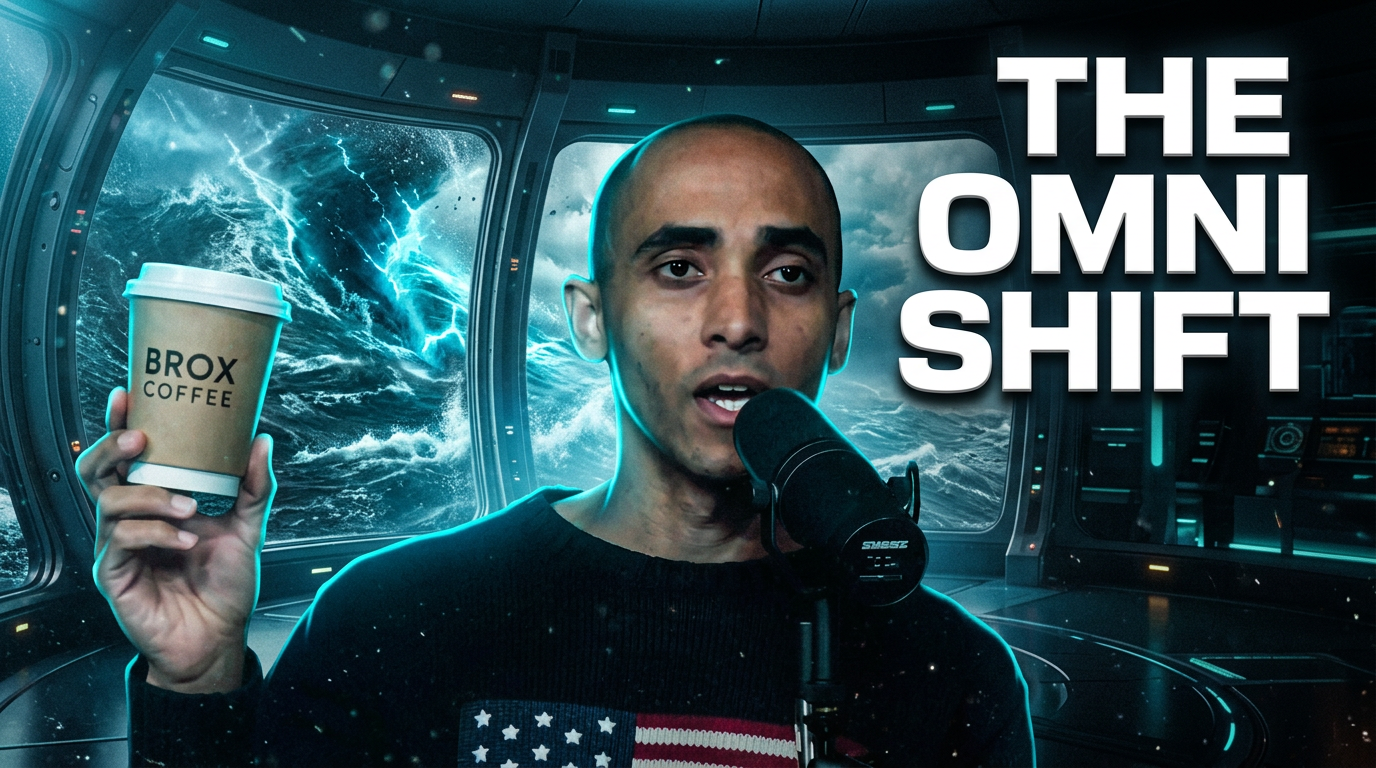
Cohort A · Sci-Fi / TechTHE OMNI SHIFT

Cohort B · Creator / PodBROX PODCAST
Input Frameraw_keyframe.png @ 00:06
LockedHost face, glasses, expression, and BROX COFFEE cup
Cohort ACyan rim light, stormy ocean vortex window, bold THE OMNI SHIFT title
Cohort BWarm golden-hour wood slats, rising steam, bold BROX PODCAST title
from google import genai
from google.genai import types

client = genai.Client()
keyframe_bytes = open("demo/assets/04_image_gen/raw_keyframe.png", "rb").read()

response = client.models.generate_content(
    model="gemini-nano-banana-2.1",
    contents=[
        types.Part.from_bytes(data=keyframe_bytes, mime_type="image/png"),
        "Transform this frame into a high-contrast 16:9 CTV thumbnail: keep the host and "
        "BROX COFFEE cup identical, add cyan rim lighting, a stormy ocean vortex outside "
        "a studio window behind him, and bold white text 'THE OMNI SHIFT' in the upper right.",
    ],
    config=types.GenerateContentConfig(
        response_modalities=["TEXT", "IMAGE"],
    ),
)
01 Video·
02 STT·
03 Embeddings·
04 Image Gen·
05 Spatial Vision·
06 Video Gen·
07 TTS + Music
Pause-ad safe zones.
Why: Detect 2D bounding boxes ([ymin, xmin, ymax, xmax]) so CTV overlays never collide with faces or props.
Stage Prompt
“Find safe zones for a pause ad”
2D Bounding Boxes + Computed Safe Zone
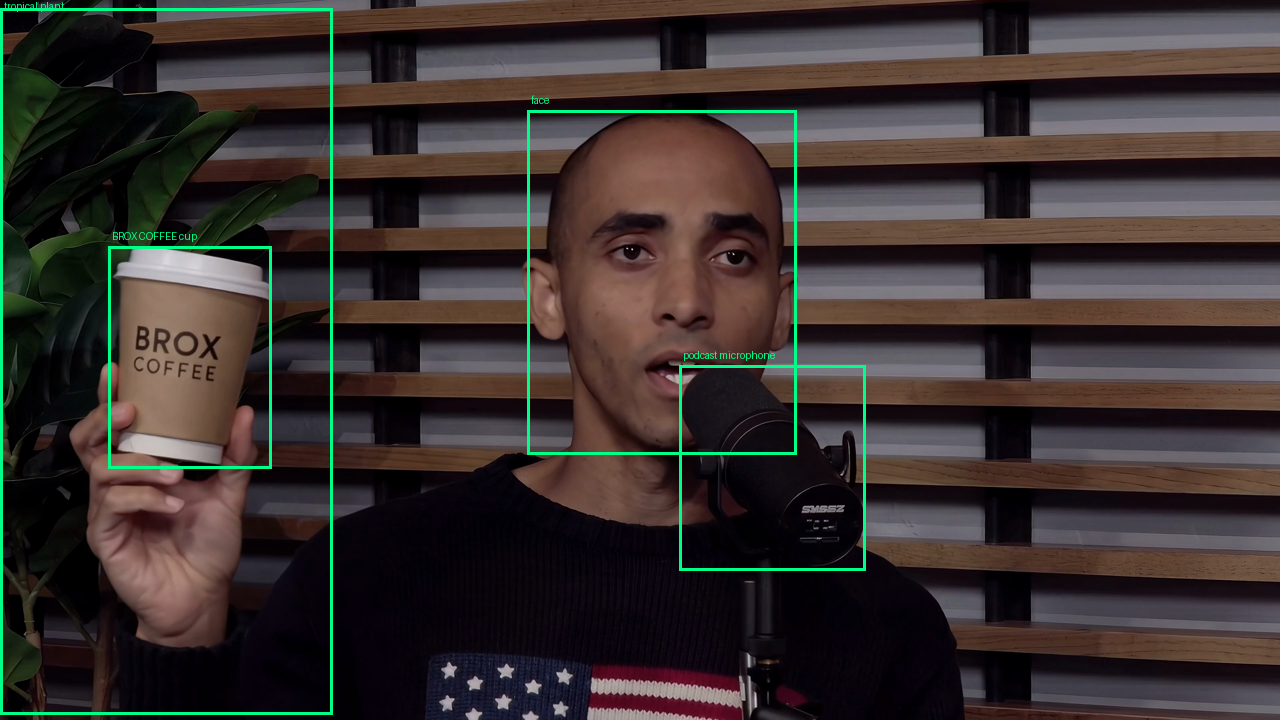
face[153, 412, 631, 622] · Protected
coffee cup[343, 85, 650, 212] · Protected
microphone[507, 531, 792, 676] · Protected
plant[12, 0, 992, 260] · Protected
SAFE ZONE[120, 690, 880, 965] · Right wood-slat wall
from pydantic import BaseModel
from google import genai
from google.genai import types

class BoundingBox(BaseModel):
    label: str
    box_2d: list[int]  # [ymin, xmin, ymax, xmax] normalized 0..1000

client = genai.Client()
keyframe_bytes = open("demo/assets/04_image_gen/raw_keyframe.png", "rb").read()

response = client.models.generate_content(
    model="gemini-3.8-flash",
    contents=[
        types.Part.from_bytes(data=keyframe_bytes, mime_type="image/png"),
        "Detect host face, BROX COFFEE cup, podcast microphone, and tropical plant. "
        "Return 2D bounding boxes as [ymin, xmin, ymax, xmax] scaled 0 to 1000.",
    ],
    config=types.GenerateContentConfig(
        response_mime_type="application/json",
        response_schema=list[BoundingBox],
    ),
)
7 Modalities · 8 Skills · One Agent
Every modality is just another tool in the loop.
Drop .agents/skills/ into your workspace and run the entire pipeline from natural language.
Christopher Brox
linkedin.com/in/christopherbrox · ckbrox.com/talks

01 / 11